Grow
Fill More Bays
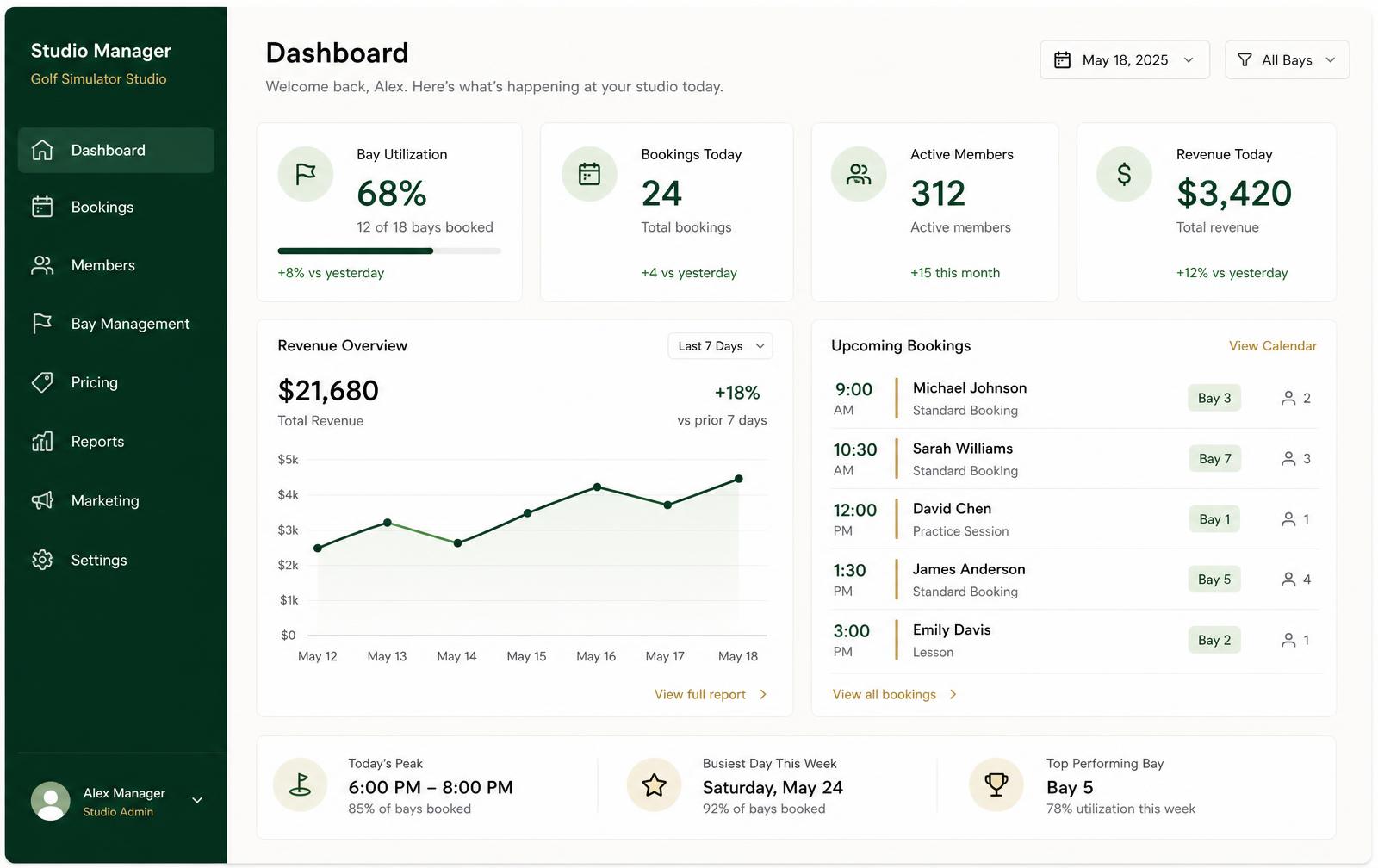
See open time at a glance and turn quiet hours into leagues, lessons, and events.
Founding offer: free setup and onboarding for the first 10 studios
Software for indoor golf simulator studios
Perfect Swing Studio helps indoor golf studios increase repeat visits and memberships, with a clear path to running bookings, billing, and daily operations in the same place.
Start alongside your current tools. Expand when you're ready.
Limited to the first 10 studios. Private walkthrough, no public signup.
Grow → Engage → Operate
Grow revenue from the golfers you already have, engage them so they keep coming back, and take over operations when the timing is right.
Grow
See open time at a glance and turn quiet hours into leagues, lessons, and events.
Engage
One profile per member with visit history, membership status, notes, and tags.
Operate
Bookings, check-ins, memberships, billing, and messages in one connected system.
Grow
Utilization by bay and hour, revenue trends, and retention before you change pricing.
Inside the platform
Indoor golf studio software that replaces the patchwork of calendars, spreadsheets, and messaging tools most studios run on today.
Grow
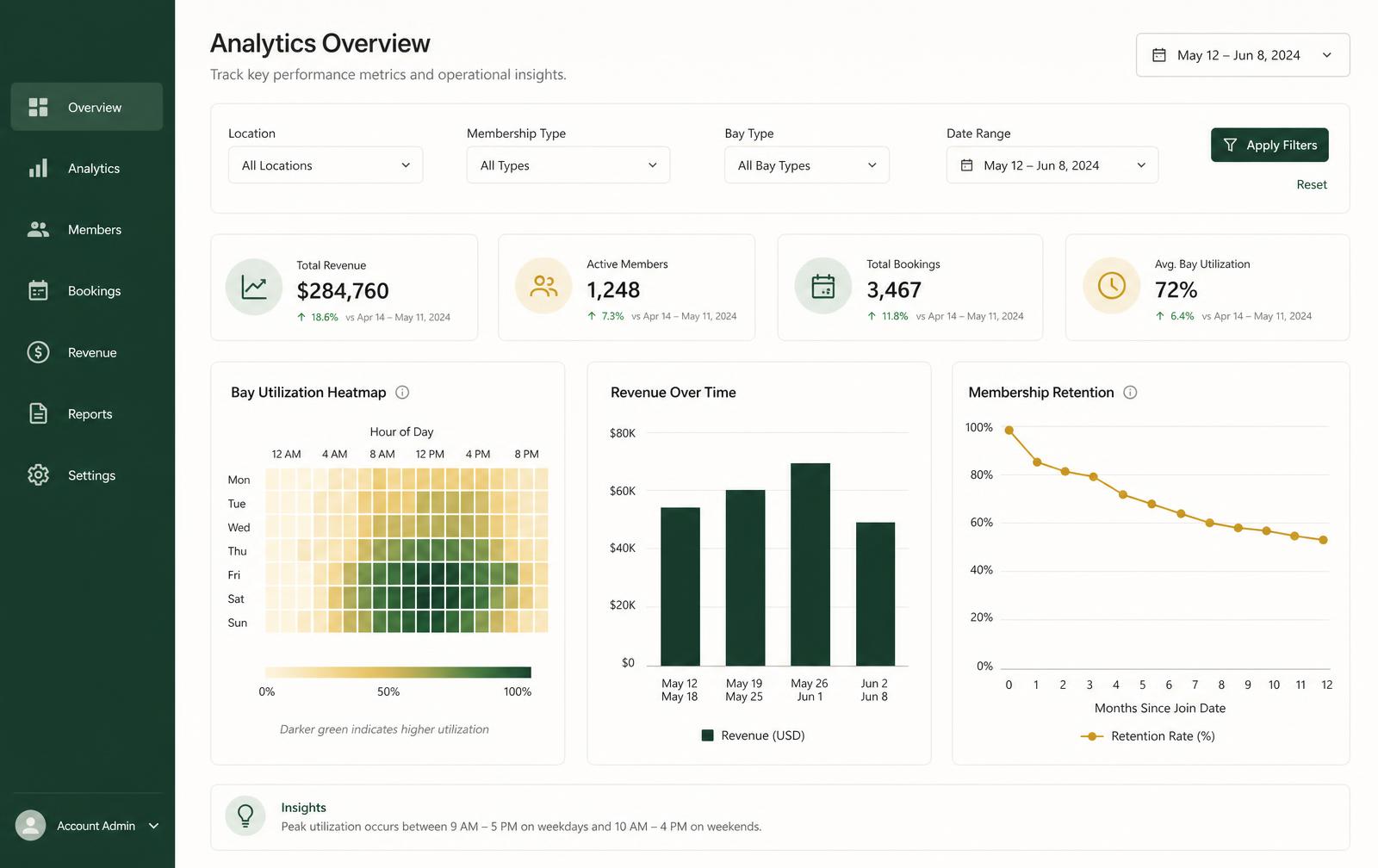
Engage
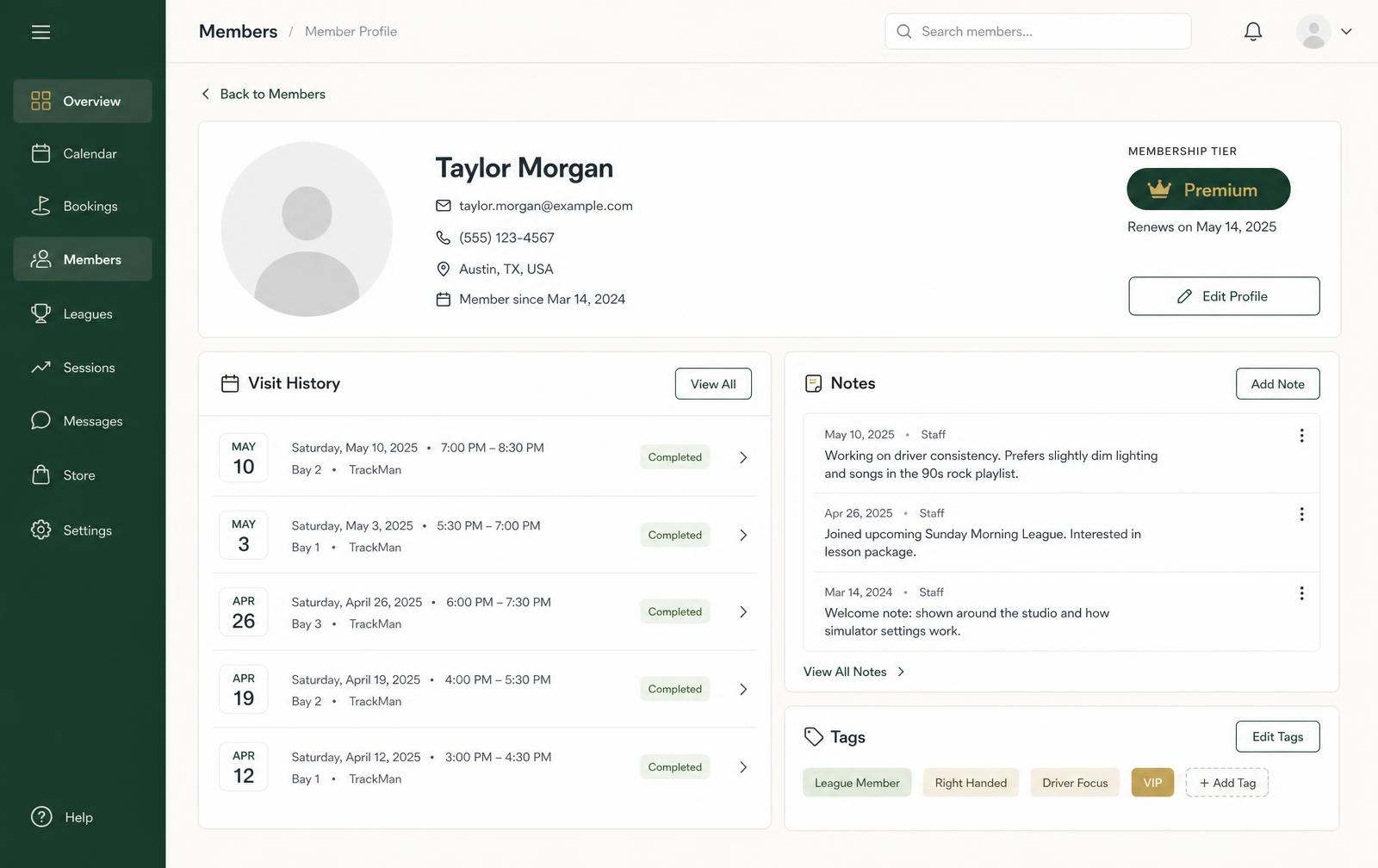
Operate
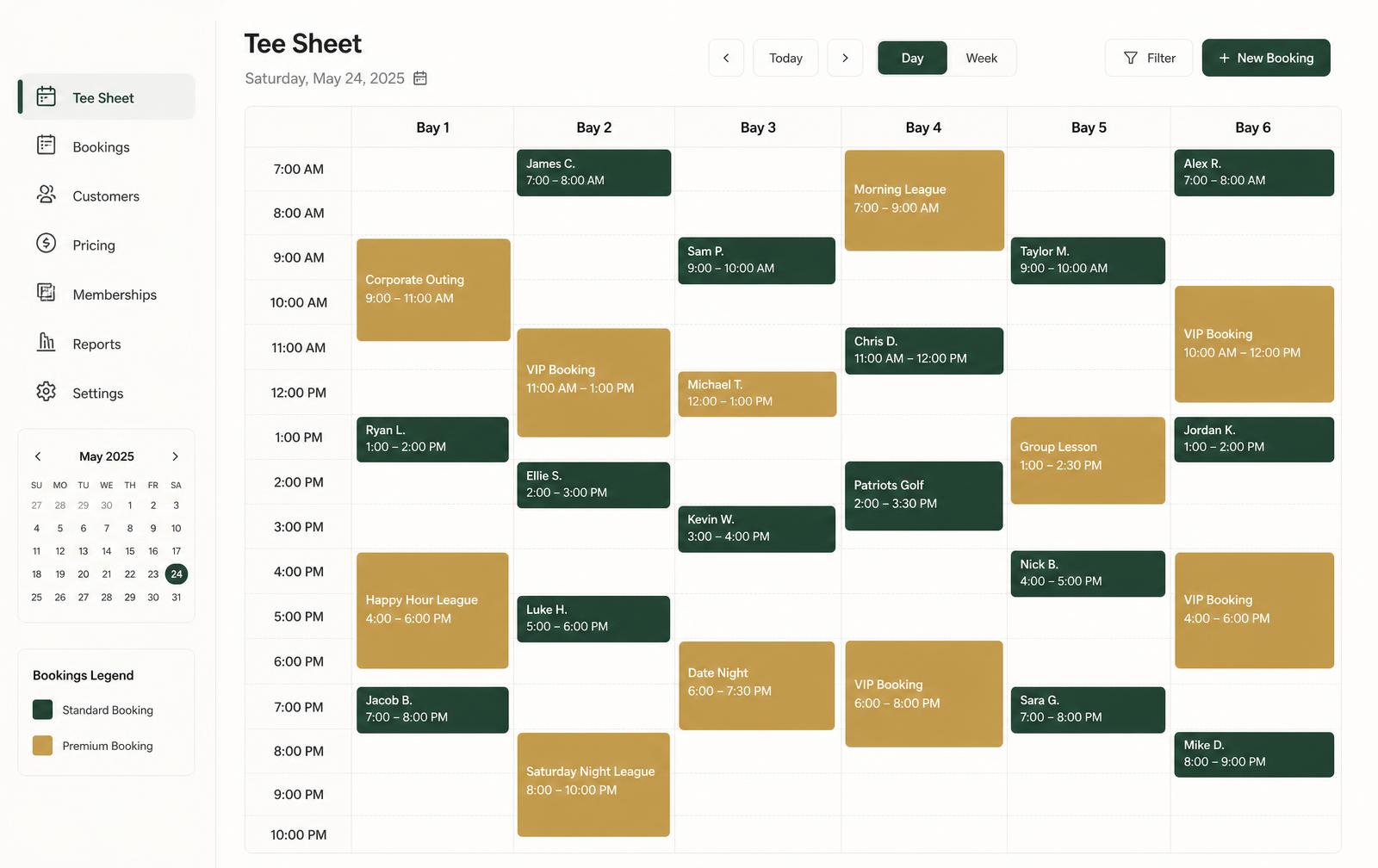
What's included
Built for how indoor golf studios actually sell time.
Payments through Stripe or Square, connected during setup.
On the roadmap: door access for unstaffed hours and simulator integrations. Founding studios help decide what we build next.
See the platform against your bay count and operating model. If you are among the first 10 founding studios, setup and onboarding are included at no cost.
Adoption path
Each step adds value on its own, and nothing you set up has to be rebuilt later.
Start alongside the booking and payment tools you already run.
Turn on member profiles, automated communication, and follow-ups.
Use visit, membership, and utilization insight to sharpen pricing and hours.
Move bookings, memberships, billing, and operations across when you're ready.
Every day, every desk
A clear read on utilization, revenue, and membership health, plus the settings to change pricing, hours, and tiers.
One screen for the day: tee sheet, check-ins, walk-ins, and member lookup with details already attached.
Book a bay in seconds, see membership balance and upcoming sessions, and get reminders automatically.
When you're ready to run everything in one place, the full member journey is already connected, from first booking to lifelong member.
Members book online or your team books them onto the tee sheet.
Confirmations and reminders go out automatically.
Check-in is one tap, bay and session length already set.
Charges, credits, and memberships settle on the member record.
Utilization, revenue, and retention roll up for next week.
Founding Studio Growth Program
The first 10 studios get free setup and onboarding. We configure your bays, hours, pricing, and membership tiers, import existing members and bookings where possible, and train your front desk before you go live, at no cost. Founding studios also get direct product access and the opportunity to influence the roadmap.
Claim a Founding SpotStraight answers
What we can confirm today, and what we review together during onboarding.
It is built for indoor golf studios that sell simulator time: standalone simulator lounges, practice and coaching studios, and hospitality-led venues with a small number of bays. It is not designed to run a full outdoor golf course operation.
The visual tee sheet is designed around multi-bay studios, from a single bay up to larger floors. Bay count, hours, pricing, and session lengths are configured per studio during setup.
Yes. You can define membership tiers, attach included time or credits, track renewals, and see membership status directly on the member profile alongside visit history.
Yes. The member portal lets members see real availability, book a bay, and manage their upcoming sessions, while staff keep full control from the tee sheet.
Multi-location operators are part of who we are building for. Because location handling depends on how your studios share memberships, pricing, and staff, we walk through your specific structure during the demo before confirming fit.
Payments run through Stripe or Square, connected during setup. Email and text reminders are built in. Door access and simulator integrations are on the roadmap, and founding studios help set the order.
Onboarding is hands-on. We configure your bays, hours, pricing, and membership tiers with you, help bring across existing member and booking information where possible, and train your front desk before you go live.
We work directly with a small number of operators. The first 10 founding studios get free setup and onboarding, including configuration of bays, hours, pricing, and membership tiers, eligible member and booking imports, and front-desk training before launch. They also receive a complimentary pilot period, direct access to the product team, and influence over what we build next.
Founding studios
Tell us about your studio and we'll walk you through the tee sheet, memberships, and reporting against your real operating model. The first 10 studios get free setup and onboarding.
Takes about a minute.
Go deeper
Each page covers one side of the platform in operator detail, from the visual tee sheet to memberships and growth.
The full platform view: grow first, then consolidate operations.
Visual tee sheet, online scheduling, reminders and waitlists.
Tiers, credits, renewals and recurring revenue visibility.
Lead capture, follow-up, events and retention.
These operator guides are written for commercial studios weighing business and operations software: how to run an evaluation, what the software costs, how the categories compare, and how to fill quiet hours once you're live.